AI Agent Approval Loops: A Practical Safety Checklist
AI agents are getting better at taking real actions, but action is where risk begins. When a tool can send messages, edit records, click through browser flows, or trigger workflows, small mistakes can quickly become expensive mistakes. That is why AI agent approval loops matter so much for builders, operators, and teams adopting action-taking automation.
If you are evaluating browser agents, workflow copilots, or app-operating AI tools, this guide will help you design approval loops that reduce risk without killing productivity. You will learn what approval loops are, when they should be required, how to classify risky tasks, and how to test reliability before you trust an agent in production.
Table of Contents
- What are AI agent approval loops?
- Why approval loops matter in real workflows
- The core safety checklist for AI agent approval loops
- How to design approval loops by risk level
- Common failure modes and how to prevent them
- Tools, environments, and rollout tips
- Key takeaways
- Conclusion
- FAQ
What are AI agent approval loops?

AI agent approval loops are control points where a human or a rule-based gate must review, confirm, or reject an agent’s next action before it proceeds. The goal is simple: keep the benefits of automation while limiting unsafe, irreversible, or high-cost actions.
A simple definition
An approval loop usually includes three parts:
- The agent proposes an action
- A human or policy engine reviews it
- The action is approved, edited, delayed, or rejected
This is often called a human-in-the-loop or human-on-the-loop model, depending on how much control the reviewer has.
Why action-taking agents need more oversight
A summarization tool can be wrong and cause annoyance. A browser agent that clicks “Submit,” sends an email, changes a CRM field, or deploys code can be wrong and cause damage.
That difference matters. Approval loops become especially important when an agent can:
- Access external systems
- Handle customer or financial data
- Trigger side effects
- Make irreversible changes
- Operate across multiple tools in sequence
Approval loops vs full autonomy
Many teams want “fully autonomous” agents, but in practice, the safest systems are staged. You usually start with:
- Read-only assistance
- Suggested actions
- Approved execution
- Conditional auto-execution
- Limited autonomy for low-risk tasks
That progression is more practical than giving broad permissions on day one.
Why approval loops matter in real workflows

Approval loops are not just a compliance idea. They improve operational reliability, help with trust, and make debugging easier.
They reduce blast radius
When an agent gets confused, the biggest risk is usually not one bad decision. It is a bad decision repeated quickly across many records, tabs, or workflows.
Approval loops reduce that blast radius by forcing checkpoints before sensitive actions such as:
- Sending outbound communications
- Editing production systems
- Approving expenses
- Changing security settings
- Publishing content or code
They create accountability
A good approval loop leaves an audit trail. You can see:
- What the agent intended to do
- What context it used
- What the reviewer approved
- What happened next
That makes incident review much easier and supports safer scaling.
They improve operator trust
Teams adopt agents faster when they can review decisions before execution. Trust is earned through visibility, not promises.
If you are comparing agent tools, it helps to assess not just raw capability but also how they expose review and control. For example, when exploring operator-focused tools such as MyClaw, KiloClaw, or Command Code, ask how easy it is to inspect planned actions before they run.
They fit emerging safety guidance
Human oversight is a recurring theme in safety frameworks from major standards and policy bodies. For reference, NIST’s AI Risk Management Framework emphasizes governance, monitoring, and human oversight in real deployments: https://www.nist.gov/itl/ai-risk-management-framework. The UK ICO also offers practical guidance on AI and data protection, especially around reviewability and accountability: https://ico.org.uk/for-organisations/uk-gdpr-guidance-and-resources/artificial-intelligence/.
The core safety checklist for AI agent approval loops
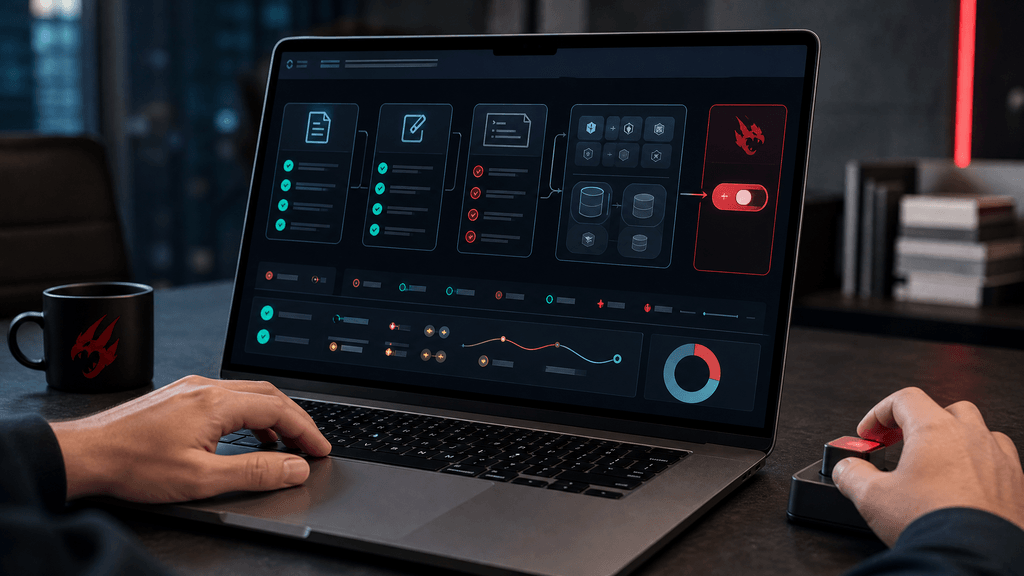
This is the practical part. Use the checklist below before letting an agent operate apps, browser sessions, or workflows on your behalf.
The core safety checklist for AI agent approval loops
1. Define the action boundary
Before anything else, answer this question: What exactly is the agent allowed to do?
Document:
- Allowed apps and environments
- Allowed action types
- Data classes it may access
- Time or session limits
- Whether internet access is required
- What actions are always blocked
If the boundary is vague, the approval loop will be vague too.
2. Separate read, draft, and execute modes
Do not treat all actions equally. Split agent capability into clear modes:
- Read mode: Observe, summarize, classify, extract
- Draft mode: Prepare email, form entry, code diff, ticket update
- Execute mode: Submit, send, delete, publish, purchase, deploy
This separation makes permissions easier to reason about and reduces accidental escalation.
3. Add risk tiers to every task
Approval loops work best when they are tied to task risk, not just to a tool in general.
A simple tier model:
| Risk tier | Example task | Approval requirement |
|---|---|---|
| Low | Summarize tickets, tag records, draft replies | Optional spot review |
| Medium | Update CRM fields, create support macros, schedule posts | Required approval before execution |
| High | Send external emails, change billing data, run scripts, deploy changes | Two-step approval or restricted operator review |
4. Require action previews
Never approve a black box. The reviewer should see:
- The exact action proposed
- The target system
- The affected records or pages
- Any generated text
- Estimated side effects
- Confidence or uncertainty signals if available
A good preview reduces shallow approvals like “looks fine” and makes risky steps stand out.
5. Limit permissions by role
Use the minimum permissions needed for the task. This is basic security hygiene, but it is often skipped in agent pilots.
Examples:
- Support agents should not inherit finance permissions
- Content agents should not have publishing rights by default
- Browser agents should not share one broad admin session
- Test and production credentials should be separated
For teams experimenting with self-hosted or controlled environments, infrastructure choices also matter. If you want more isolated control for testing agent workflows, a page like Hostinger OpenClaw VPS deal for users who want more control may be relevant to your evaluation process.
6. Build in reversible steps
Approval loops are strongest when actions can be undone.
Prefer workflows where the agent:
- Creates drafts instead of sending immediately
- Opens pull requests instead of pushing direct changes
- Saves changes to staging before production
- Queues actions instead of executing instantly
If a step is irreversible, it deserves stronger review.
7. Log context and decisions
At minimum, record:
- Prompt or instruction source
- Retrieved context or inputs
- Proposed action plan
- Approval or rejection decision
- Reviewer identity
- Timestamp
- Final system outcome
This log is valuable for incident reviews, retraining, and prompt or policy adjustments.
8. Add timeout, retry, and stop conditions
Agents can loop, stall, or repeat bad actions. Approval design should include:
- Max number of retries
- Maximum task duration
- Maximum actions per task
- Automatic stop on unexpected UI or API changes
- Escalation path to a human operator
9. Test with adversarial and messy cases
Do not only test happy paths. Include:
- Broken page layouts
- Partial permissions
- Missing records
- Contradictory instructions
- Sensitive data appearing unexpectedly
- Rate limits and session expiry
This is where real confidence comes from.
10. Start narrow, then expand
A common mistake is launching with broad tasks like “handle support” or “manage outreach.” Better approach:
- Start with one workflow
- Constrain one system
- Measure error types
- Improve approvals
- Expand slowly
That pattern is boring, but it works.
How to design approval loops by risk level
Not every workflow needs the same kind of approval. The right model depends on impact, reversibility, and data sensitivity.
Low-risk workflows
These are good first candidates for limited autonomy.
Examples:
- Internal ticket triage
- Meeting note summaries
- Drafting internal documentation
- Organizing files or tasks
Recommended controls:
- Post-action review sampling
- Read-only access where possible
- Lightweight logs
- Clear task limits
Medium-risk workflows
These usually affect business operations but can still be managed safely with structured approval.
Examples:
- Updating CRM entries
- Creating support responses for review
- Filling internal forms
- Preparing code suggestions
Recommended controls:
- Mandatory pre-execution approval
- Record-level previews
- Restricted permissions
- Easy rollback path
If you are comparing tools for this layer, it is useful to inspect whether they are builder-friendly and easy to constrain. Operator-focused options such as Hostinger OpenClaw and Kimi Claw can be evaluated through the lens of visibility, review steps, and task scoping rather than raw autonomy alone.
High-risk workflows
These demand the strongest guardrails.
Examples:
- Sending customer emails
- Changing billing or payment records
- Executing scripts in production
- Signing contracts
- Publishing code or live content
Recommended controls:
- Two-person approval for high-impact actions
- Production sandboxing where possible
- Explicit allowlists for destinations and actions
- Session isolation
- Manual confirmation for final execution
A practical approval matrix
Use this quick matrix:
| Workflow type | Data sensitivity | Side effects | Reversible? | Recommended loop |
|---|---|---|---|---|
| Internal summarization | Low | None | Yes | Review optional |
| CRM record update | Medium | Moderate | Usually | Single approval |
| Customer communication | Medium/High | High | Sometimes | Single approval plus content preview |
| Production deployment | High | Very high | Often partial | Multi-step approval |
| Payment or contract action | High | Very high | Low | Human-only final action |
Common failure modes and how to prevent them
Approval loops fail when they are treated as a checkbox instead of a system design problem.
Failure mode 1: Rubber-stamp approvals
If the reviewer sees 50 approvals a day with weak context, they stop reading carefully.
Prevention:
- Show concise but meaningful previews
- Highlight changed fields
- Flag unusual destinations or amounts
- Bundle low-risk actions, isolate high-risk ones
Failure mode 2: Overly broad permissions
An agent may be assigned a powerful session “just to make it work.”
Prevention:
- Use least-privilege roles
- Create separate service accounts where appropriate
- Isolate test from production
- Remove permissions not used in the workflow
Failure mode 3: Hidden context leakage
Agents can expose sensitive data in logs, prompts, copied browser content, or downstream tools.
Prevention:
- Minimize visible sensitive fields
- Mask secrets and personal data where possible
- Restrict logging of raw content
- Review retention settings for agent traces
The OWASP guidance on LLM applications is useful here, especially around prompt injection, data leakage, and over-permissioned tools: https://owasp.org/www-project-top-10-for-large-language-model-applications/.
Failure mode 4: Approval at the wrong step
Sometimes teams approve too early, before the final destination or exact payload is known.
Prevention:
- Approve the final action, not just the plan
- Require destination and payload previews
- Re-check if the environment changes mid-task
Failure mode 5: UI drift in browser automation
Browser agents are especially vulnerable to layout changes, modal popups, hidden elements, or stale selectors.
Prevention:
- Add page-state checks before action
- Stop on unknown screens
- Maintain screenshots or DOM evidence
- Require manual intervention after repeated failures
Tools, environments, and rollout tips
The safest approval loop is not just a UX feature. It depends on your environment, deployment choices, and operational discipline.
Start in a non-production lane
Before production rollout, create a controlled environment where agents can fail safely.
Checklist:
- Use test accounts
- Mirror realistic data structures without exposing real secrets
- Simulate common exceptions
- Measure completion rate and intervention rate
- Track error categories
Measure the right metrics
Do not evaluate an agent only by speed. Measure:
- Approval rate
- Rejection rate
- False-confidence incidents
- Retry frequency
- Time to human intervention
- Rollback frequency
- Net time saved after review overhead
These metrics tell you whether the workflow is actually worth automating.
Choose infrastructure that matches risk
Some teams want more managed convenience. Others want more isolation and control for testing and workflow design. Your infrastructure choice affects logging, session control, and environment separation.
If you are exploring operational setups, you may also review resources such as LightNode for infrastructure-related evaluation and Hostinger OpenClaw managed hosting deal if your goal is easier deployment with guardrails designed into the rollout process. The key is not the discount itself. The key is whether the environment supports safe staging, review, and monitoring.
Use scenarios, not just feature lists
When comparing tools, run the same scenario across each option:
Scenario: “Agent drafts a customer reply, updates CRM notes, and proposes sending the message.”
Ask:
- Can it separate draft from send?
- Can it show exact record changes?
- Can approvals be required at the final step?
- Can you audit the task later?
- Can you stop or roll back safely?
This is a better buying and deployment test than asking whether the tool is “autonomous.”
Key takeaways
- AI agent approval loops are essential when agents can take real actions in apps, browsers, or workflows.
- The safest design starts with narrow permissions, clear task boundaries, and approval checkpoints tied to risk level.
- You should separate read, draft, and execute modes rather than granting full action rights immediately.
- Good approval loops include previews, logging, stop conditions, and reversible workflow steps.
- Measure reliability, review burden, and rollback rates before expanding automation scope.
Conclusion
Approval loops are not friction for the sake of friction. They are what make action-taking AI usable in the real world. If an agent can operate tools, click through workflows, or change records, you need a system that decides when to trust it, when to review it, and when to stop it. The practical path is to start with small, well-defined tasks, classify risk carefully, and require approval at the points where damage would be hardest to reverse.
As you evaluate AI agent tools, do not focus only on capability demos. Focus on control, visibility, and recoverability. If you have a workflow you are trying to automate, map it into read, draft, and execute stages first. That exercise alone will reveal where your approval loop should live. If this guide helped, share it with your team or use the checklist in your next agent rollout review.
FAQ
What are AI agent approval loops?
AI agent approval loops are review checkpoints that require a human or policy engine to approve an agent’s proposed action before it is executed. They are commonly used for browser agents, workflow copilots, and other action-taking AI tools.
When should an AI agent require human approval?
Human approval is usually needed when the agent is about to send messages, modify important records, access sensitive data, spend money, deploy changes, or perform actions that are hard to reverse.
Are approval loops only for high-risk tasks?
No. Approval loops can be adapted by risk tier. Low-risk tasks may only need spot checks, while medium- and high-risk tasks often need mandatory approval before execution.
How do approval loops improve AI agent safety?
They reduce the blast radius of errors, improve accountability, create audit trails, and give operators visibility into what the agent is about to do before side effects occur.
What is the difference between draft mode and execute mode?
Draft mode lets an agent prepare content or planned changes without applying them. Execute mode performs the actual action, such as sending, submitting, deleting, or deploying. This separation is a key safety control.
What should I test before rolling out an action-taking AI agent?
Test broken flows, permission limits, data exposure risks, retries, timeouts, unexpected UI changes, and whether reviewers can understand and safely approve or reject the agent’s proposed actions.