Hostinger OpenClaw
Is Hostinger OpenClaw a real shortcut to running an always-on AI agent, or just a simpler way to rent infrastructure for one? That is the key question for builders evaluating this product. Hostinger positions OpenClaw as a 1-click hosting option for a private, always-on AI assistant, with choices that include managed hosting and VPS-based deployment. On paper, that is attractive for users who want less setup friction than a raw server build.
In this review, we look at what Hostinger OpenClaw appears to offer, what it likely does well, where the risks and unknowns are, and who should test it before committing. Because this is an action-workflow site, we focus less on generic hosting language and more on agent behavior, operational control, approval boundaries, data exposure, and ongoing reliability.
What is Hostinger OpenClaw?
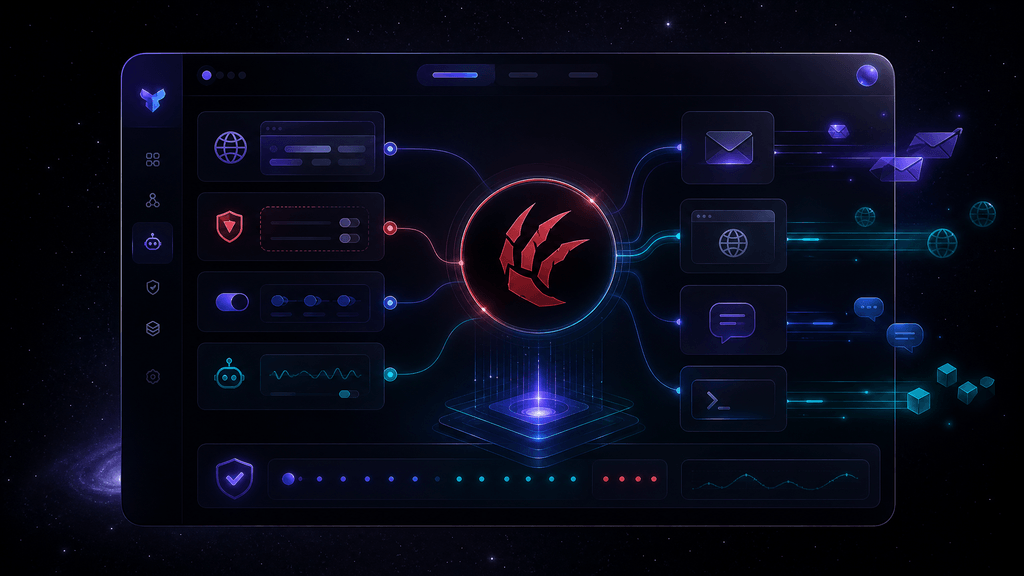
Hostinger OpenClaw is Hostinger's hosted entry point for deploying OpenClaw as a private, always-on AI assistant. According to Hostinger's official OpenClaw landing page, the offer includes Managed OpenClaw and OpenClaw on VPS options, along with 1-click setup, 24/7 operation, built-in AI and web browsing capabilities, an agentic mailbox, and pairing with Telegram and WhatsApp.
That positioning matters. This is not simply "another chatbot." It is better understood as AI agent hosting: a way to keep an agent available continuously, connected to certain channels, and able to perform ongoing information or workflow tasks. For some users, that can be much more useful than a standard browser-only assistant session.
The likely target audience includes:
- founders and solo operators who want a persistent assistant
- tinkerers who want OpenClaw without building everything from scratch
- small teams experimenting with action-taking AI workflows
- users who prefer a hosted path over self-managing infrastructure
At the same time, buyers should remember what Hostinger is really selling here: convenience, packaging, and infrastructure access around OpenClaw. If you need strict enterprise controls, deep auditability, or highly customized agent tooling, you may need to compare it against more specialized options and read our Action-Taking AI Agents Buying Guide before making a decision.
Key Features
Below are the main features that stand out from Hostinger OpenClaw's current positioning. Since some implementation details can vary by plan, region, or future updates, users should verify specifics on the official site before purchase.
1. 1-Click OpenClaw Deployment
The biggest appeal of Hostinger OpenClaw is simplified deployment. Instead of assembling a server, dependencies, and runtime manually, users appear to get a faster route to launching OpenClaw.
Use case: A solo founder wants to test an AI operations assistant over a weekend without losing time to server setup.
This is especially valuable for non-sysadmins. However, "1-click" should not be confused with "fully production-ready." You still need to validate prompts, permissions, channels, and failure behavior.
2. Managed OpenClaw and VPS Options
Hostinger lists both Managed OpenClaw and OpenClaw on VPS. That suggests two different operational styles:
- Managed OpenClaw may appeal to users who want less infrastructure involvement.
- OpenClaw on VPS may suit builders who want more control over the environment.
Use case: A marketer chooses managed hosting for speed, while a developer picks VPS for deeper customization and troubleshooting access.
This split is useful because agent hosting is rarely one-size-fits-all. Some buyers want low friction; others want root-level flexibility.
3. Always-On Assistant Positioning
Hostinger frames OpenClaw as an "always-on" assistant. For action-oriented AI, persistence can be more important than raw model intelligence. An agent that stays online can monitor, respond, and continue workflows without requiring a new session every time.
Use case: A user wants a continuous assistant that can remain available via messaging channels and handle recurring information tasks.
Still, "always-on" does not mean "always reliable." Uptime, stuck tasks, retries, and queue behavior matter. Treat this as continuous availability infrastructure, not a guarantee of perfect execution.
4. Built-In AI and Web Browsing
The official positioning mentions built-in AI and web browsing. For practical workflows, this can enable research, information retrieval, and lightweight task chaining.
Use case: An agent checks public websites, summarizes findings, and sends the result through a connected chat channel.
This is useful, but it also introduces risk. Web-browsing agents can misread pages, follow the wrong links, or summarize low-quality sources. If your workflow touches regulated, financial, legal, or customer-sensitive information, keep a human in the loop. Our Browser Agent Safety Checklist is worth reviewing before allowing real-world use.
5. Agentic Mailbox
The mention of an agentic mailbox is one of the more interesting workflow features. In practice, this can make an AI assistant feel more operationally useful than a standalone web app, because email-like intake creates a clear place for tasks, notifications, and asynchronous actions.
Use case: A team forwards repetitive requests into the mailbox, where the agent drafts responses or triages work for human review.
This could be a strong fit for internal productivity. But users should verify exactly what the mailbox can do, what permissions it needs, and whether actions require approval.
6. Telegram and WhatsApp Pairing
Hostinger's page also references pairing with Telegram and WhatsApp. Messaging app access can turn an agent into a more practical daily copilot, especially for users who want quick interactions away from a desktop dashboard.
Use case: A business owner checks in with the assistant from their phone to request a summary, status update, or research result.
That said, messaging integrations raise familiar issues:
- what data is exposed in chat history?
- what can the agent do from a message alone?
- is there a clear approval step before actions?
- how are mistakes corrected?
These are important questions, especially for buyers expecting more than simple Q&A.
7. 24/7 Hosting Convenience
OpenClaw on Hostinger is clearly designed to remove the burden of keeping an agent online manually. That convenience can matter more than fancy feature lists for users who simply want an agent available without constant babysitting.
Use case: A consultant needs a persistent assistant running outside local machine uptime.
As with any hosted AI agent environment, convenience trades off against direct control. If you need highly specific observability, custom security posture, or exact environment management, self-managed alternatives may still be stronger.
Pricing & Plans

Hostinger's OpenClaw page reportedly includes paid-upfront pricing, but buyers should be cautious here: pricing can vary by country, promotion, billing term, and renewal conditions. We do not recommend relying on screenshots, third-party reposts, or old coupons.
Pricing Overview
| Plan Type | What it appears to mean | Best for |
|---|---|---|
| Managed OpenClaw | Hosted option with less technical setup | Beginners, non-technical users, quick tests |
| OpenClaw on VPS | VPS-based deployment with more environment control | Builders, developers, custom setups |
Because the official source notes a 30-day money-back guarantee, there may be a lower-risk way to test fit before making a long-term decision. Still, users should verify:
- whether the guarantee applies equally to all OpenClaw offers
- whether country-specific terms differ
- what renewal pricing looks like after the initial term
- whether any AI credit, messaging, or usage terms apply separately
Value for Money
Hostinger OpenClaw may offer strong value if your main goal is speed to deployment rather than absolute lowest cost. The real value equation is not just server price; it is:
- setup time saved
- maintenance burden reduced
- persistence and hosting convenience
- easier onboarding for non-technical users
On the other hand, advanced users may find that a raw VPS or another provider offers more freedom per dollar. If budget is your top priority, compare convenience against control. For adjacent options, see our coverage of LightNode and KiloClaw.
Pros and Cons
Here is the balanced view after evaluating Hostinger OpenClaw as an action-workflow hosting option.
Pros
- Simple 1-click deployment lowers setup friction
- Offers both managed and VPS-based paths
- Built for an always-on assistant use case
- Includes workflow-friendly elements like web browsing and agentic mailbox
- Messaging channel pairing may improve daily usability
- Better fit than raw infrastructure for non-technical users
- Backed by a mainstream hosting brand with broad user familiarity
Cons
- Public plan details may not answer all permission and control questions
- "Always-on" convenience does not guarantee workflow reliability
- Pricing appears paid upfront, which may not suit cautious testers
- Messaging and browsing features can increase data exposure risk
- Advanced users may still prefer more transparent or customizable agent stacks
User Experience
From the information available, the user experience pitch behind Hostinger OpenClaw is straightforward: reduce the friction of getting an AI agent online. That is a meaningful advantage. Many promising AI agent tools fail in practice because installation, hosting, and maintenance become the real bottleneck.
For beginners, Hostinger OpenClaw likely offers a gentler onboarding path than self-hosting from scratch. The Managed OpenClaw option should be especially attractive for users who do not want to think deeply about infrastructure. The VPS option is more builder-friendly, but also more likely to require troubleshooting and operational knowledge.
The likely learning curve is therefore split:
- low to moderate for users staying near the managed setup
- moderate to high for users who want deeper customization on VPS
On support, Hostinger broadly promotes 24/7 service on many products, but users should verify exactly what support covers for OpenClaw itself. Infrastructure support is not the same as agent workflow debugging. If your agent makes poor decisions, gets stuck, or mishandles prompts, the fix may still be on you.
For skeptical buyers, a short test run with low-risk workflows is the right move before putting any important process behind it.
Alternatives & Comparisons
Hostinger OpenClaw sits in an interesting middle ground between raw infrastructure and more purpose-built agent platforms.
MyClaw
MyClaw may be worth considering if you want a more explicitly agent-focused product experience rather than a hosting-led packaging of OpenClaw. Compare based on setup speed, workflow controls, and visibility into what the agent is allowed to do.
KiloClaw
KiloClaw is another useful comparison if you care about practical testing and cost-conscious experimentation. If current offers are available, check the KiloClaw free trial with $4 first month offer before deciding.
LightNode
LightNode may appeal more to users who want infrastructure flexibility first and are comfortable building around it. Compared with Hostinger OpenClaw, that usually means more control but more responsibility.
Broader Platform Decision
If you are still unsure whether an OpenClaw-hosting route is right at all, our OpenClaw vs AI Agent Platforms comparison can help frame the decision. In many cases, the real choice is not "which OpenClaw host?" but "should we host OpenClaw at all, or use a different kind of agent stack?"
Available discounts & Deals
At the time of writing, we recommend checking the official route at /go/hostinger-openclaw to verify the latest live offer information. The Hub record indicates a 30-day money-back guarantee, but users should confirm current eligibility, billing terms, and any region-specific conditions before buying.
Because this offer may use paid-upfront pricing, the best way to save money is usually to:
- confirm whether a shorter commitment is available
- check renewal pricing before checkout
- start with a low-risk testing workflow first
- avoid overbuying resources before validating agent usefulness
If you are still comparing costs across tools, it can also help to benchmark against active promotions like the KiloClaw free trial with $4 first month offer.
Verdict / Final Thoughts
Hostinger OpenClaw looks most compelling for users who want to get OpenClaw online quickly without turning setup into a full engineering project. The combination of 1-click deployment, managed and VPS options, always-on hosting, and messaging-oriented assistant use cases gives it clear practical appeal.
Our take: this is best viewed as a convenience-first OpenClaw hosting option, not a magic autonomous agent solution.
Best for:
- solo builders
- small teams testing persistent AI workflows
- users who want less setup pain than self-hosting
Skip it if:
- you need airtight enterprise governance
- you want full custom control from day one
- you are not comfortable validating permissions, reliability, and data exposure yourself
Overall rating: 7.9/10
Test it if convenience is your priority. Buy it if the managed path saves you meaningful time. Skip it if your workflow is sensitive enough that you need stronger controls than a hosted OpenClaw layer may provide.
FAQ
What is Hostinger OpenClaw?
Hostinger OpenClaw is Hostinger's hosted OpenClaw offering, positioned as a 1-click way to run a private, always-on AI assistant.
Does Hostinger OpenClaw include managed and VPS options?
Yes, Hostinger's official page lists both Managed OpenClaw and OpenClaw on VPS options.
Can Hostinger OpenClaw browse the web?
Hostinger's OpenClaw page mentions built-in AI and web browsing, but users should verify current limitations and controls on the official site.
Does Hostinger OpenClaw support Telegram and WhatsApp?
The official page references pairing with Telegram and WhatsApp. Buyers should confirm current support details and setup requirements before purchase.
Is Hostinger OpenClaw good for beginners?
It may be a good fit for beginners who want less setup friction, especially if they choose the managed option rather than a more hands-on VPS route.
Is Hostinger OpenClaw safe for sensitive workflows?
It can be useful for low-risk and supervised workflows, but users should be cautious with sensitive data, financial actions, regulated tasks, or anything requiring strict approval and audit controls.
Does Hostinger OpenClaw have a free trial?
We did not verify a free trial. The Hub record notes a 30-day money-back guarantee, which users should confirm directly on the official site.
Where can I check the official Hostinger OpenClaw page?
You can review the latest details on the official page here: https://www.hostinger.com/openclaw.